Set up wallets
Prerequisites
- Ethereum compatible wallet or dapp
Configure wallet RPC URL
- Configure your wallet or dapp to use
https://rpc.mevblocker.io.- Network name: MEV Blocker RPC
- RPC URL:
https://rpc.mevblocker.ioor a custom endpoint - Chain ID: 1
- Currency symbol: ETH
- Block explorer:
etherscan.io
- Submit transactions onchain in the normal manner and the transaction request will be routed to MEV Blocker's dedicated RPC service.
warning
UI interfaces are subject to updates which these docs don't attempt to track.
- MetaMask
- Rabby
- Rainbow
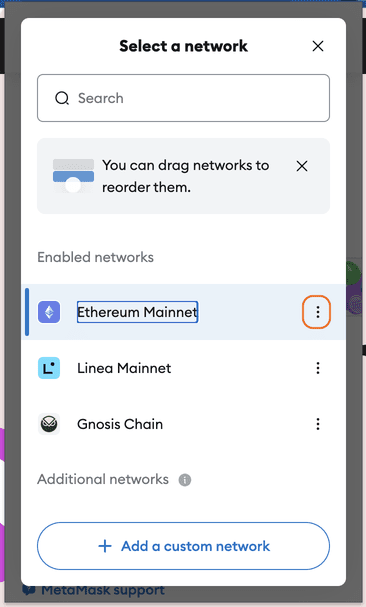
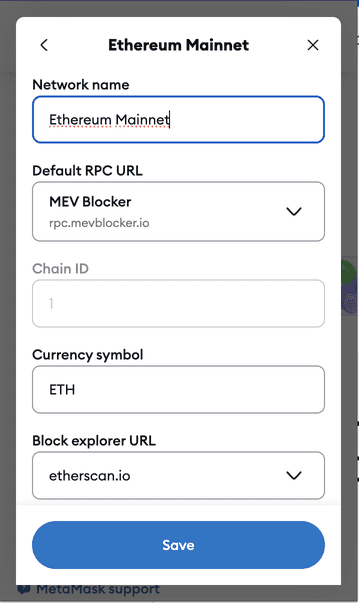
- Logged into your wallet, navigate to Select a network.
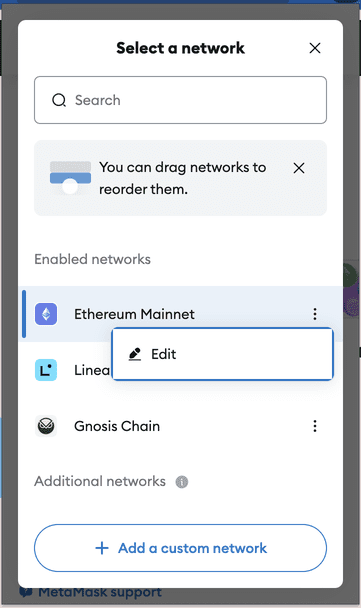
- Select the hamburger menu for Ethereum Mainnet.
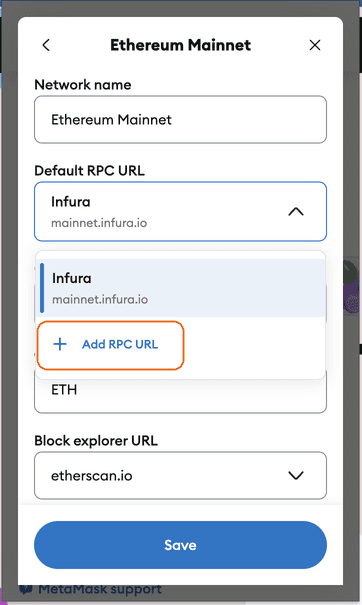
- Select Edit and update the default RPC URL to
https://rpc.mevblocker.io.
Show me
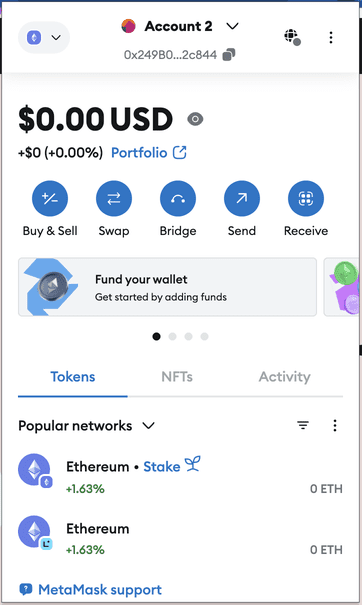



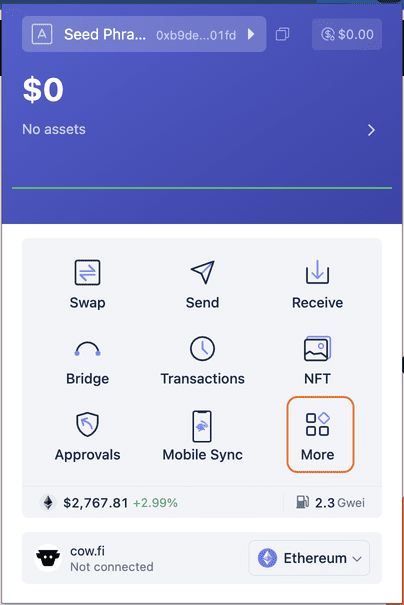
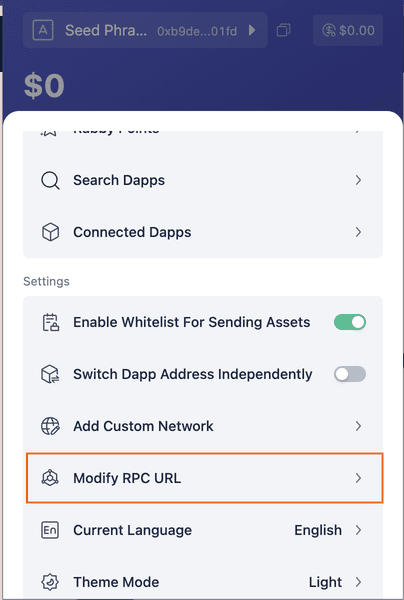
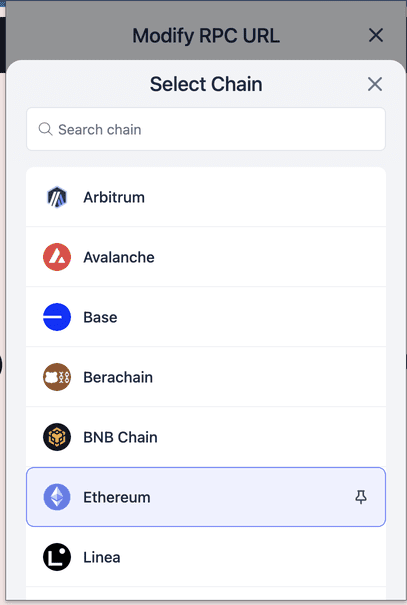
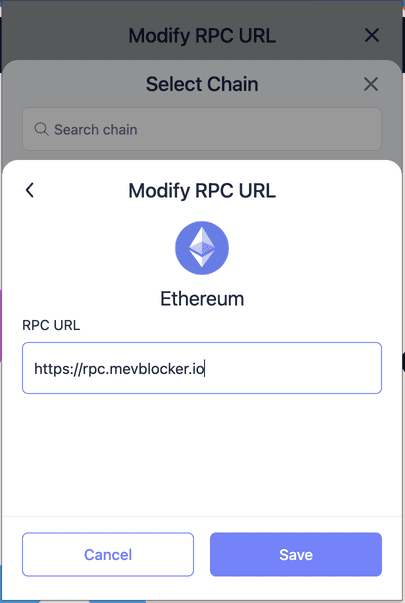
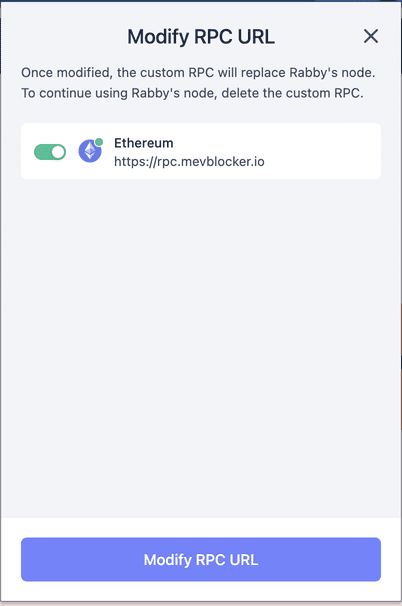
- Logged into your wallet, navigate to More.
- From Settings, select Modify RPC URL.
- Select Ethereum, select Modify RPC URL, and update the default RPC URL to
https://rpc.mevblocker.io.
Show me

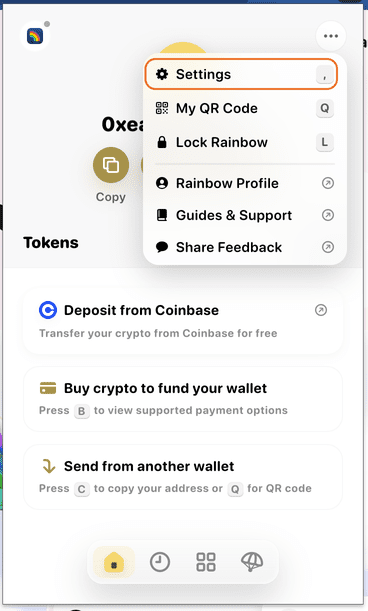
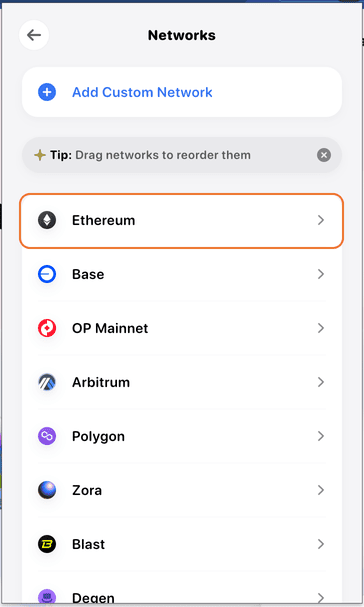
- Logged into your wallet, navigate to Settings.
- Select Networks, and select Ethereum.
- Select Add RPC Endpoint and add the RPC URL
https://rpc.mevblocker.io.
Show me




Next steps
Consider following these next steps:
- Use one of the custom MEV Blocker RPC endpoints.
- Wallet developers: Learn how to integrate MEV Blocker into your wallet product.